 LevelZMOD
LevelZ and Ars Nouveau can look like an attractive combination for an RPG-focused Minecraft pack. One supplies skill progression, while the other has a magic theme. The first question, however, is whether their published files can run under the same loader.
For a straightforward installation, matching the Minecraft version alone is insufficient. Check the loader, release requirements and dependencies before downloading both mods into one profile.
What the published projects support
The official Ars Nouveau listing identifies Forge and NeoForge releases. The LevelZ project identifies Fabric support.
Those listings do not establish a native common-loader combination. Do not advertise the two as directly compatible merely because both have files for a familiar Minecraft version.
Separate three compatibility questions
| Question | What would establish it |
|---|---|
| Same game release? | Both selected files explicitly name the intended Minecraft version |
| Same loader? | Both selected files support the loader used by the profile |
| Working integration? | The intended combination has been tested, including dependencies and progression rules |
Passing one question does not automatically answer the others.
Choose the pack's priority
If LevelZ is essential
Build around a release that supports LevelZ and inspect magic projects with matching files. Do not select an alternative solely by theme; verify its actual loader and requirements.
Then test whether the desired equipment or magic activities are affected by progression rules. Merely launching a content mod does not establish a balanced integration.
If Ars Nouveau is essential
Use the loader required by the chosen Ars Nouveau file. A different progression system with a matching published release may be a more practical route than forcing an unsupported combination.
This is a planning decision rather than a universal recommendation for one mod. The right platform depends on the features you need and the evidence for the files you select.
Do not assume a bridge solves everything
A compatibility bridge, unofficial port or community pack can introduce additional requirements. Its existence is not proof that these two exact releases work together.
If you investigate such a route, look for maintained documentation identifying the supported combination. Test separately and inspect unresolved issues. This article does not provide a verified bridge recipe or guarantee that progression restrictions and magic mechanics will interact correctly.
Use a minimal compatibility test
Start with the chosen loader and the required components for one project. Confirm that it launches. Add the proposed second project only when its published support or integration route has been established.
A clean menu is only the first test. Create a disposable world, inspect relevant items, test the intended interactions and check logs for problems. For multiplayer, repeat the test on the server environment you plan to use.
Avoid misleading conclusions from pictures
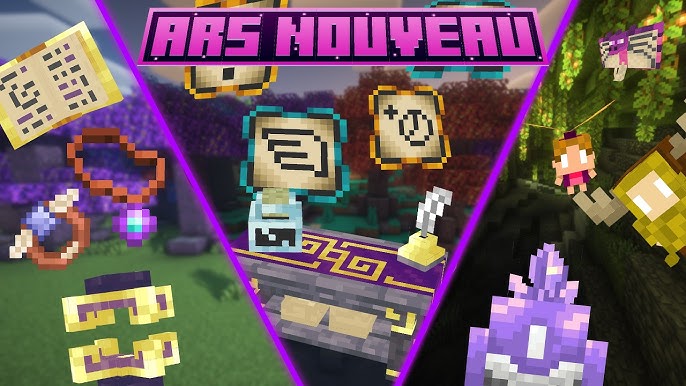
The supplied Ars Nouveau artwork shows that project's theme. It does not demonstrate that a LevelZ player can cast those spells or that a particular skill unlocks them.
A screenshot of both names in a pack list is also incomplete evidence. You need the actual release details and a test of the behaviour you intend to publish or play.
Compatibility questions
Can I combine the official files just because both mention the same game version?
Not without a matching loader and supported environment.
Is there an official Fabric build shown on the Ars Nouveau listing?
The inspected listing shows Forge and NeoForge. Recheck the selected project's current files before acting.
Can I still create a magic-focused progression pack?
Yes, as a design goal. Choose compatible projects and test the progression route.
What should I plan next?
Use the adventure pack workflow to check dependencies and reachable milestones before expanding the pack.