 LevelZMOD
A broken LevelZ datapack restriction can look like a locked item, an unexpectedly available recipe, or a gate that players cannot ever reach. Troubleshooting begins by identifying the exact action and target before rewriting rules.
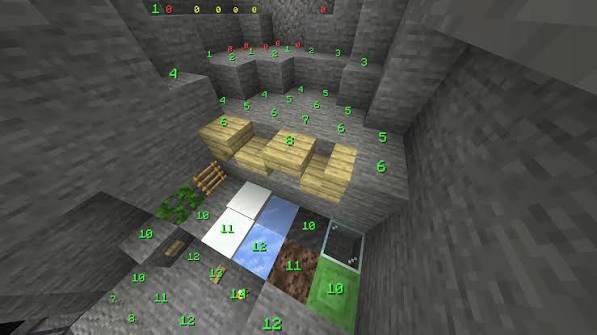
This guide is for pack authors and administrators. Work in a test copy and preserve the previous configuration. The numeric overlays in the supplied image are illustrative; they are not a verified display of LevelZ requirements.
Identify the action being restricted
The developer's datapack documentation places skill definitions under data/levelz/skill and restriction definitions under data/levelz/restriction. It distinguishes targets such as items, mining and crafting.
Write a one-sentence test: an ordinary player with specified skill values should be able to perform a named action on a specific target. This makes the desired behaviour measurable.
Inspect the target identifier
A display name is not always enough. Two similar items can have different registry identifiers, and a mod can introduce several variants.
Verify the identifier using the tools available in the installed environment. Copy it carefully into the relevant rule and keep the namespace. A guessed identifier can leave the intended item unrestricted while the file still appears syntactically valid.
Check the file without inventing a schema
Use an example from the documentation that matches the installed release. Do not paste a rule from an older tutorial and assume that its structure remains valid.
Validate JSON syntax and inspect the game log for the relevant loading error. A trailing comma, misspelled key or misplaced file can prevent the intended rule from loading. Remove unrelated changes while diagnosing the issue.
Compare the requirement with reachable progress
Test both sides of the gate
Use a test character below the intended requirement and confirm that the action is blocked. Then raise only the relevant value in a controlled test and confirm the action becomes available.
If both states behave identically, investigate whether the rule is active and whether the target action is correct. Do not assume the point allocation is at fault.
Avoid impossible requirements
Compare the chosen requirement with the allowed skill limits and the route players can use to reach it. An intentionally disabled action is different from a progression milestone.
A hypothetical gate requiring level 12 while the tested skill cap is 10 is unreachable. Those numbers illustrate the check; they are not asserted defaults.
A compact diagnostic sequence
| Symptom | First investigation |
|---|---|
| No change after adding a rule | File location, active pack and loading errors |
| Only one variant behaves unexpectedly | Exact target identifier |
| Crafting is blocked but using is not | Whether the rule targets the intended action |
| Nobody can reach the requirement | Skill cap and progression route |
| Administrator succeeds but players fail | Test account permissions and actual skill state |
Use one controlled change per test. This preserves evidence about which adjustment affected the outcome.
Check multiplayer separately
The server's rules are the relevant authority for shared gameplay. Confirm that the correct pack and configuration are active there, not merely on one client's computer.
After applying a verified change, follow the release's supported reload or restart procedure and reconnect the test player if needed. Do not promise that every rule changes safely without a restart.
Common datapack questions
Should I delete player data to test a rule?
Use a separate test character or world instead. Deleting live data can destroy progress.
Can a recipe restriction stand in for an item-use restriction?
They address different actions. Test the behaviour you actually intend to control.
What should I check before sharing the pack?
Validate the file, confirm both blocked and permitted states, and test a fresh-player route using the modpack planning guide.