 LevelZMOD
LevelZ makes early Minecraft decisions matter: collecting better equipment is only useful when your character can use it. This LevelZ beginner guide explains how to move from a fresh world to a practical first upgrade without copying an outdated build or spending points blindly.
The quickest approach is to inspect the skill screen, pick one useful unlock, and work toward the requirements shown in your own installation. A server or modpack can change those requirements, so a screenshot is a reference rather than a universal progression chart.
Understand what LevelZ adds
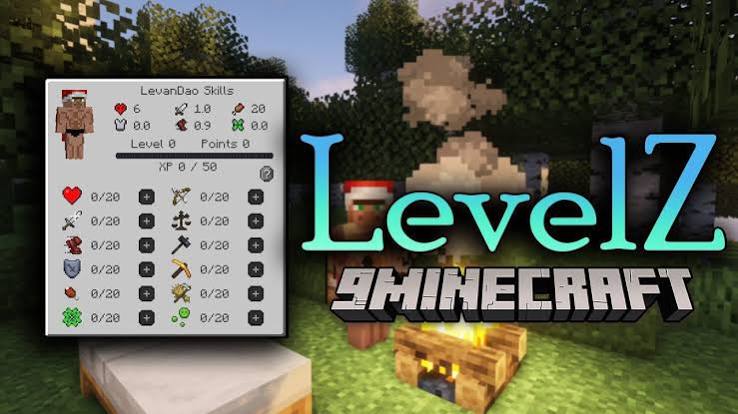
LevelZ is a player progression mod. The official project listing describes skills that unlock equipment, items and blocks, with K as the default skill-screen key. It does not describe a complete quest campaign or a fixed character-class system.
Think of progression as a practical chain: a task requires equipment; the equipment has requirements; your character needs the relevant investment. Starting with the task makes the skill choice easier to understand.
Before entering a new world
Use the installation guidance on our download page to match your game version and mod files. Choose a separate test profile if you are exploring a new setup, and back up an existing world before adding modifications.
Once the game starts, open the mod list or available configuration screen and confirm that LevelZ is present. A missing skill interface can indicate the wrong profile rather than a progression problem. On multiplayer, check the server's instructions before replacing files yourself.
Read the skill screen before spending points
Identify the information that affects your next action
Look for your available points, the skill you intend to improve, and the description associated with it. Then inspect the item or block that you want to unlock. Record each requirement rather than assuming its material determines the answer.
For example, suppose your installed rules show that a tool needs Mining 5 while your character has Mining 3. The remaining requirement is two Mining levels. Those numbers are a hypothetical example, not published LevelZ defaults. If another skill is listed too, the Mining investment alone may not complete the unlock.
Choose a practical first goal
Pick something you will use repeatedly: a suitable tool, a permitted piece of protection, or access to a basic activity. Compare how much investment each option needs. A single expensive item is less helpful if using it still depends on other locked resources.
Do not spread points evenly just because every skill looks important. Make one deliberate upgrade, try the result, and then decide what limits your next task.
A simple first-session plan
- Establish shelter and a reliable supply of food before travelling far.
- Check which basic tools and interactions are currently available.
- Choose one near-term equipment or activity requirement.
- Earn progression through activities your installation allows.
- Spend points toward that requirement and test the result.
- Keep a usable fallback tool while planning the next upgrade.
This is a suggested planning sequence, not a claim that LevelZ awards experience for every listed activity. Your configured rules determine the rewards.
When something stays locked
Reopen the tooltip and check for an overlooked requirement. Confirm that points were actually spent rather than merely earned. If the interface does not open, inspect Options, Controls for a conflicting key binding and assign an unused key.
If the tooltip and skill screen disagree after reconnecting, ask the server administrator to inspect the active rules. Avoid deleting player data as a first fix: that can remove the progression you are trying to verify.
Questions beginners commonly ask
Is a build from a video guaranteed to work?
No. Its release, addons and server rules may differ. Copy the reasoning behind a build and verify the displayed requirements locally.
Should I spend every point immediately?
You can plan before spending. Save a decision until you know which unlock matters; do not assume a free reset is available.
What should I learn next?
Once your first unlock works, use the skills planning guide to connect upgrades with your preferred activities.