 LevelZMOD
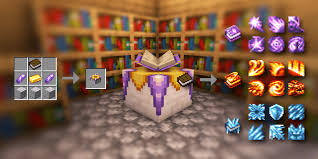
LevelZ enchanting progression can involve several separate checks: access to the station, the vanilla experience needed for an action, the equipment's own requirements and any rules added by the pack. Confusing those checks can waste resources without solving the actual restriction.
The supplied picture is a magic-themed illustration. It does not establish a LevelZ spell recipe or prove that every icon belongs to the same system.
Identify which system controls the action
Start by naming the exact action: opening an enchanting station, applying a book, using an anvil, crafting a magical item or activating the finished equipment.
Minecraft's ordinary enchanting and a separate mod's spell crafting are different mechanics. The official Ars Nouveau description, for example, describes its own spell-crafting system. That does not make those spells part of LevelZ.
Separate experience from skill requirements
A displayed Minecraft XP level can be relevant to an enchanting cost without proving that a character meets a skill requirement. Conversely, meeting a progression requirement does not automatically provide the resources needed for the action.
Write down the values shown by each relevant interface. Avoid treating all level counters as interchangeable.
Inspect the complete route
Check access to the station
Confirm that you can interact with the intended station in the current rules. If opening the interface is blocked, inspect that requirement before gathering expensive ingredients.
Test the station with a simple appropriate item in a safe location. A crafting recipe for the station does not automatically establish permission to use it.
Check the output item
Inspect the equipment you intend to improve and test whether it is currently usable. An upgraded item can remain restricted even when the modification process succeeds.
Do not invest rare resources in an item you cannot use yet unless that is a deliberate long-term plan. A usable intermediate item may serve your immediate task better.
Diagnose the symptom
| Observed problem | What to compare |
|---|---|
| Station cannot be opened | Its active interaction rule |
| Action appears but cannot complete | Required materials and the relevant experience display |
| Upgraded item remains unusable | Its item-use requirements |
| A spell is missing | Whether the separate magic mod and matching content are installed |
| Behaviour changes on a server | Server configuration and exact pack release |
These checks narrow the investigation without asserting one cause for every failure.
Plan a test before committing resources
Use a copy of the world or a controlled test profile when exploring changed pack rules. Start with an ordinary permission level and known skill values.
Record the action that works, then change only the requirement or ingredient you are testing. Testing a complete stack of simultaneous changes makes it harder to tell which rule controls the result.
Keep addon bonuses distinct
A pack may describe bonuses associated with repairs, enchanting or item use, but the exact effects should come from the installed skill descriptions and supported documentation.
Do not infer an ability from the artwork above. A colourful spell icon does not establish a bonus, a required skill value or a crafting recipe. Likewise, a themed book can belong to a separate mod with its own progression.
Enchanting questions
Does a high Minecraft XP level unlock every restricted item?
No. Inspect the progression requirements separately.
Are spell books and enchanted books always the same system?
No. Identify the project and mechanic supplying the item.
Why can I craft something but not use it?
The crafting and use checks can be separate. Compare the active rules.
What should I investigate if a custom gate is wrong?
Use the datapack restriction guide to identify the precise target and test both sides of the requirement before editing live rules.